

Export the event log
Requirements
- The Enhanced Security module enabled.
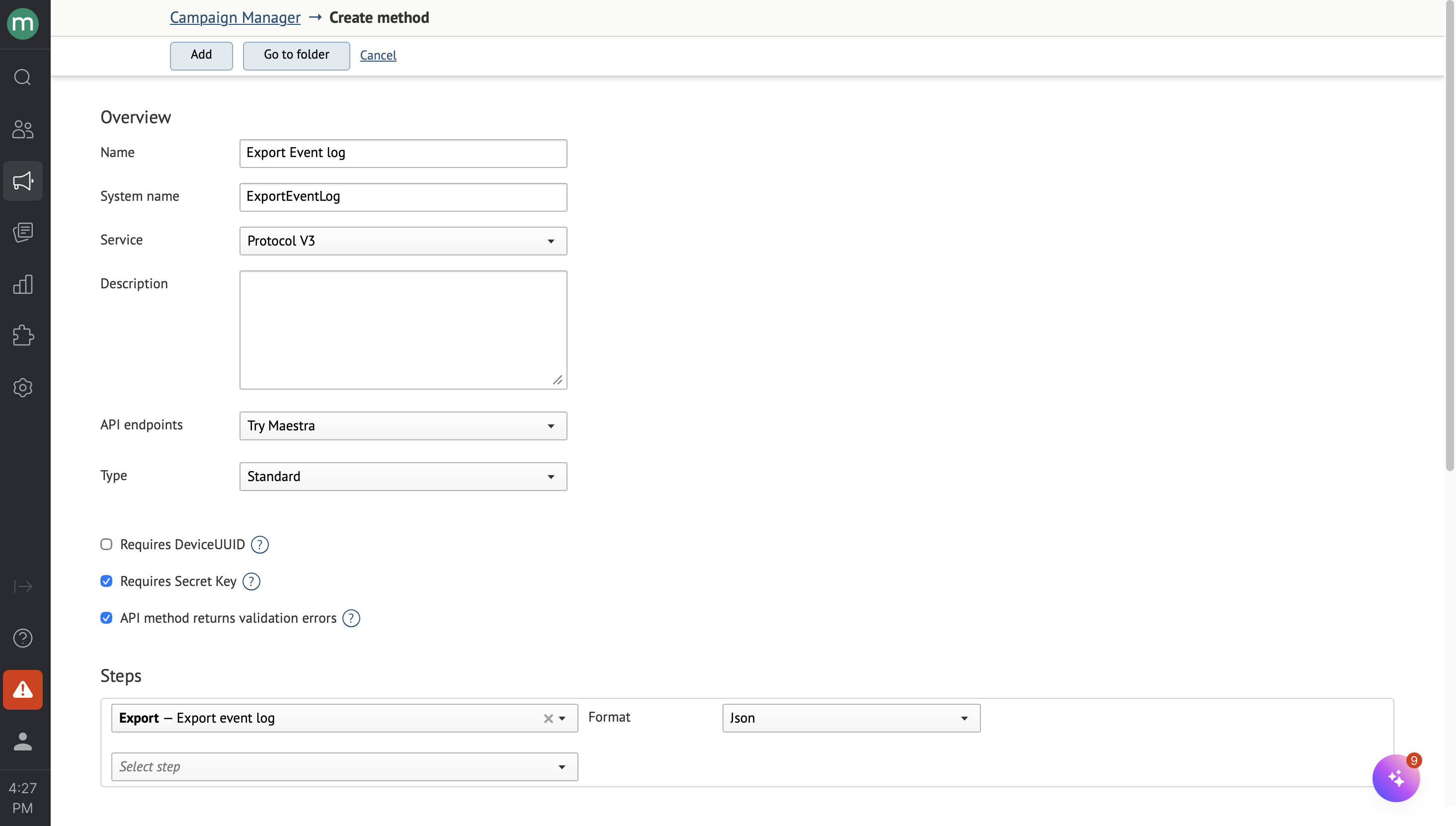
- An operation configured with the Export — event log step.
To create this step, you need the
Export event logpermission, which is available by default to the Owners role.
Submit and poll
For the general submit-and-poll flow, see Exports overview.
Request
https://api.maestra.io/v3/operations/sync?endpointId={endpointId}&operation={operation}

Accept: application/json
Content-Type: application/json
Authorization: SecretKey {Secret key}

{
  "sinceDateTimeUtc": "<Earliest event datetime — UTC, YYYY-MM-DD hh:mm>",
  "tillDateTimeUtc": "<Latest event datetime, exclusive — UTC, YYYY-MM-DD hh:mm>"
}
You can pass:
sinceDateTimeUtc— only events logged at or after this UTC datetime will be included.tillDateTimeUtc— only events logged before this UTC datetime will be included.
Response format
{
  "eventLogEntries": [
    {
      "loggedDateTimeUtc": "<Event datetime (UTC)>",
      "staffId": "<ID of the user who performed the action>",
      "staffLogin": "<Login of the user who performed the action>",
      "staffEmail": "<Email of the user who performed the action>",
      "staffIpAddress": "<IP address of the user who performed the action>",
      "entityType": "<Entity name>",
      "entityTypeDescription": "<Optional — entity description>",
      "entityId": "<Entity ID>",
      "entityLink": "<Entity link>",
      "eventType": "<Action name>",
      "eventTypeDescription": "<Action description>",
      "comments": "<Comment>"
    }
  ]
}
Backward compatibility
Backward compatibility for field values is not guaranteed. If a change breaks your integration, update the correlation rules in your SIEM.
Updated 26 days ago