

Adding the SDK to Your App
There are 2 ways to add the SDK to your app:
- Swift Package Manager (recommended) ✅
- Cocoapods (legacy)
CocoaPods will reach end of life later this year. For new integrations, use Swift Package Manager.
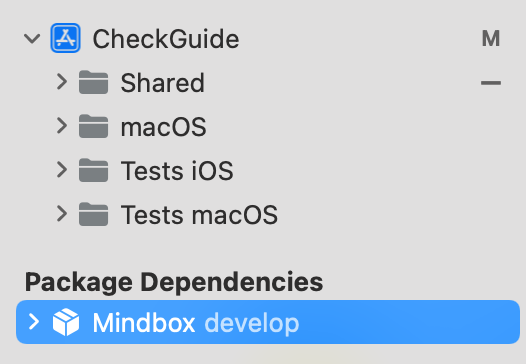
Result:The Mindbox package appears under Package Dependencies.
Instructions
- Open your project in Xcode.
- Go to
File → Add Package - Paste the Mindbox SDK repository URL:
https://github.com/mindbox-cloud/ios-sdk - Select the SDK version.
- Choose your
Main Targetand clickAdd Package
Result:
- You can now use the Mindbox SDK in your app.
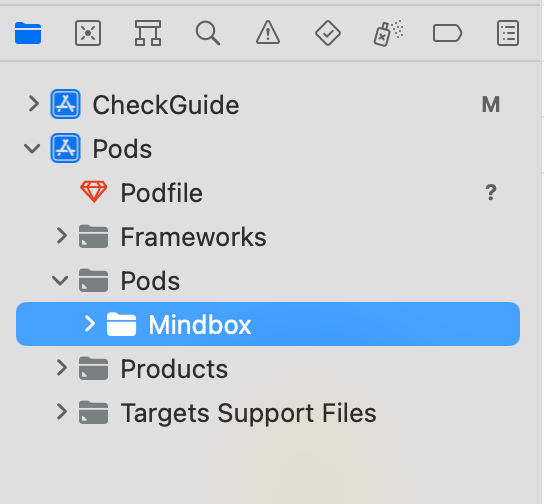
- The library appears under Pods / Pods.
1. Installing Cocoapods
If this is your first time working with CocoaPods, we recommend reviewing the detailed guide on the official website
2. Configuring the Podfile
Add the following line to your Podfile.
use_frameworks!
target '<YourAppTarget>' do
  pod 'Mindbox'
end
Note that the use_frameworks! directive must be placed at the very top of the Podfile.
3. Installing the Mindbox SDK
Run the following command in the terminal:
pod installUpdated 6 months ago