

Adding the SDK to Your App
As a result of this integration, you will be able to:
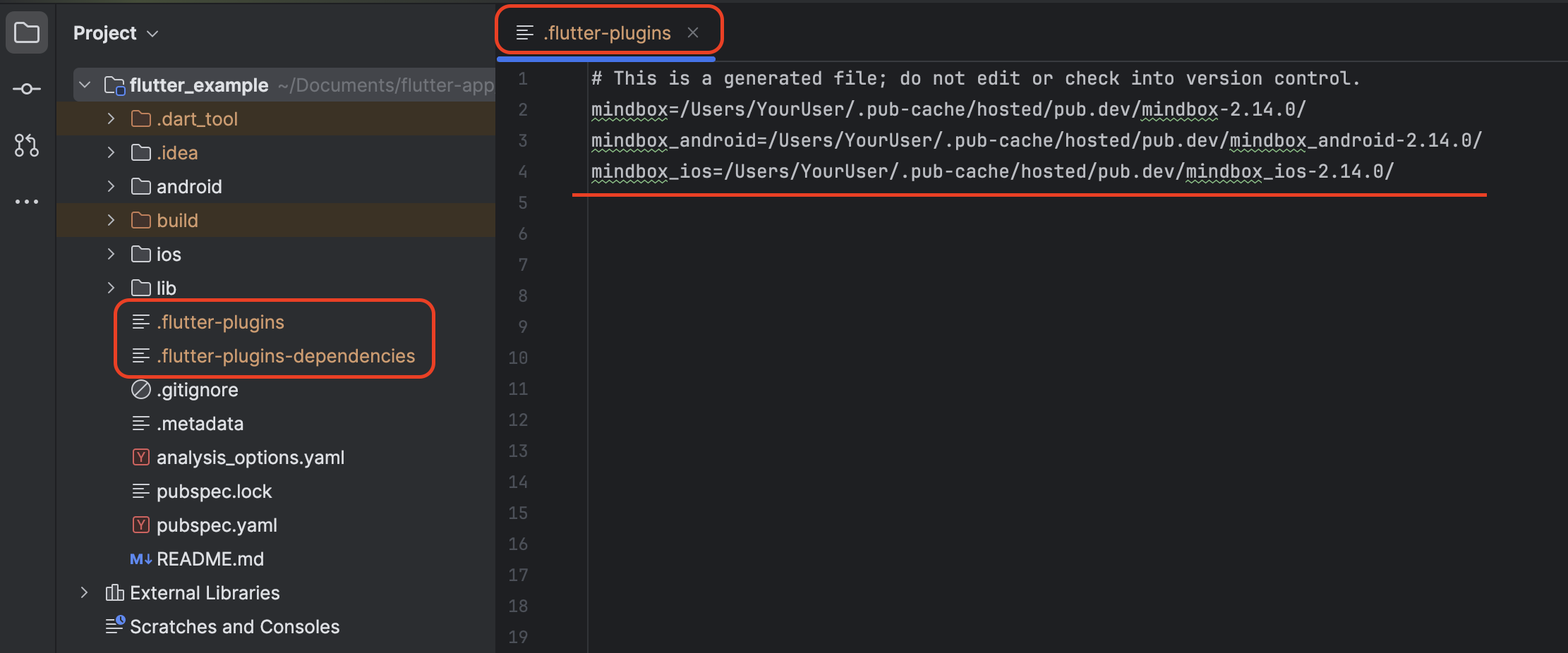
- A hidden file
.flutter-pluginsshowed up in the project root (in the file navigator).- It contains the following lines:
- mindbox=…
- mindbox_android=…
- mindbox_ios=…
Instructions
Add the plugin dependency to the pubspec.yaml file.
Specify the latest SDK version. You can find the current version on the library’s page on pub.dev.
dependencies:
  flutter:
    sdk: flutter
mindbox: ^{the latest SDK version}
// mindbox: ^2.14.0To use a fixed version of the Mindbox SDK, make sure all SDK dependencies are set to the same version and specified without the caret (^) symbol.
mindbox: 2.14.0
mindbox_android: 2.14.0
mindbox_ios: 2.14.0
mindbox_platform_interface: 2.14.0
Updated 9 months ago