

Creating a Customer in Maestra
The customer may appear in the system not right after the initialization but a few minutes after.
After the initialization is completed, your device UUID will appear in the console—copy it.
Next, go to Maestra.
Specify device UUID in the "Customer device—device UUID" filter on your “Customers” page, then click "Apply"::
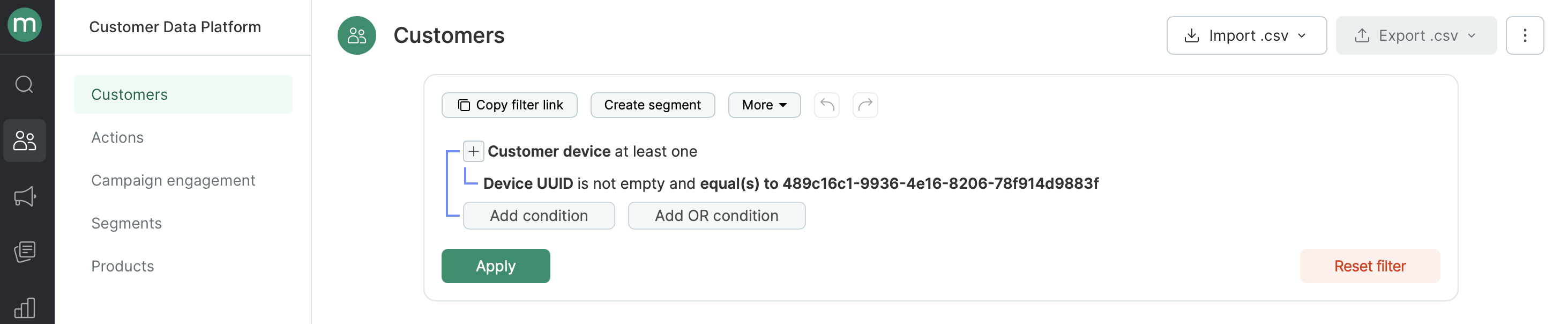
Wait a certain time till your user appears in the system. To check if your customer did so, you have to reload your filtering result (click the "Apply" button or refresh the page).
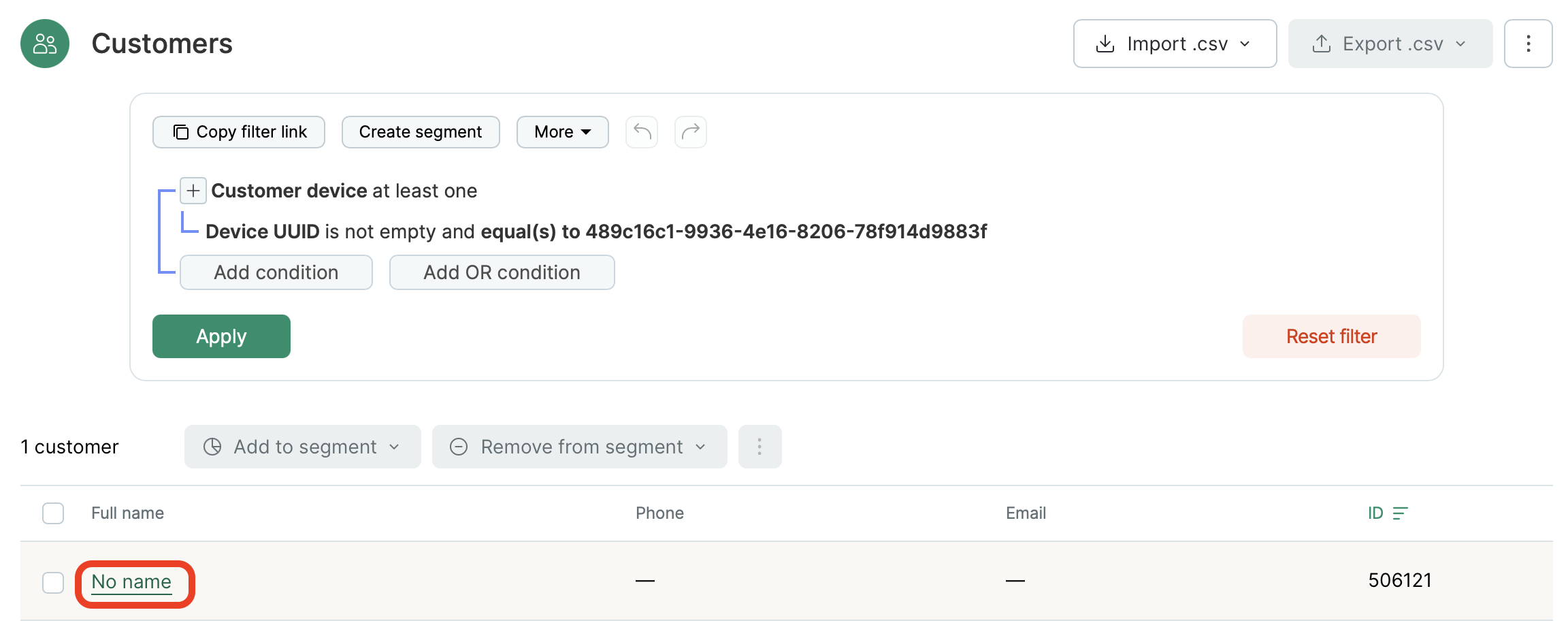
When your customer appeared, open their page containing detailed info. To do this, click the link in the "Customer" field:
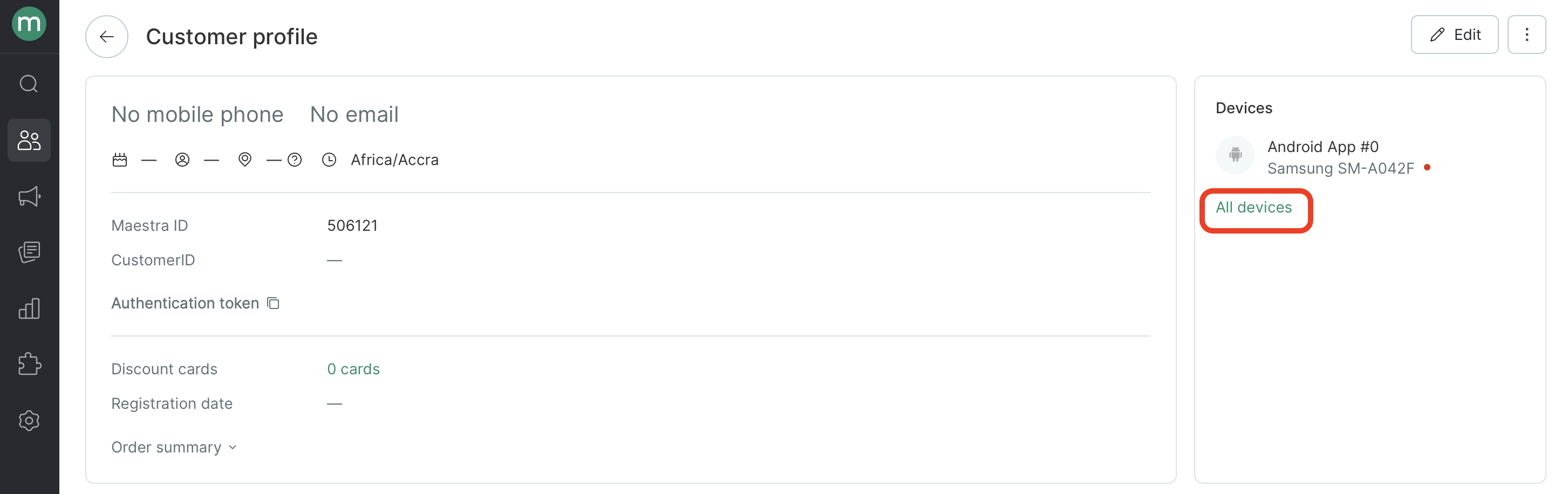
Next, click "All devices":
You shall see this:
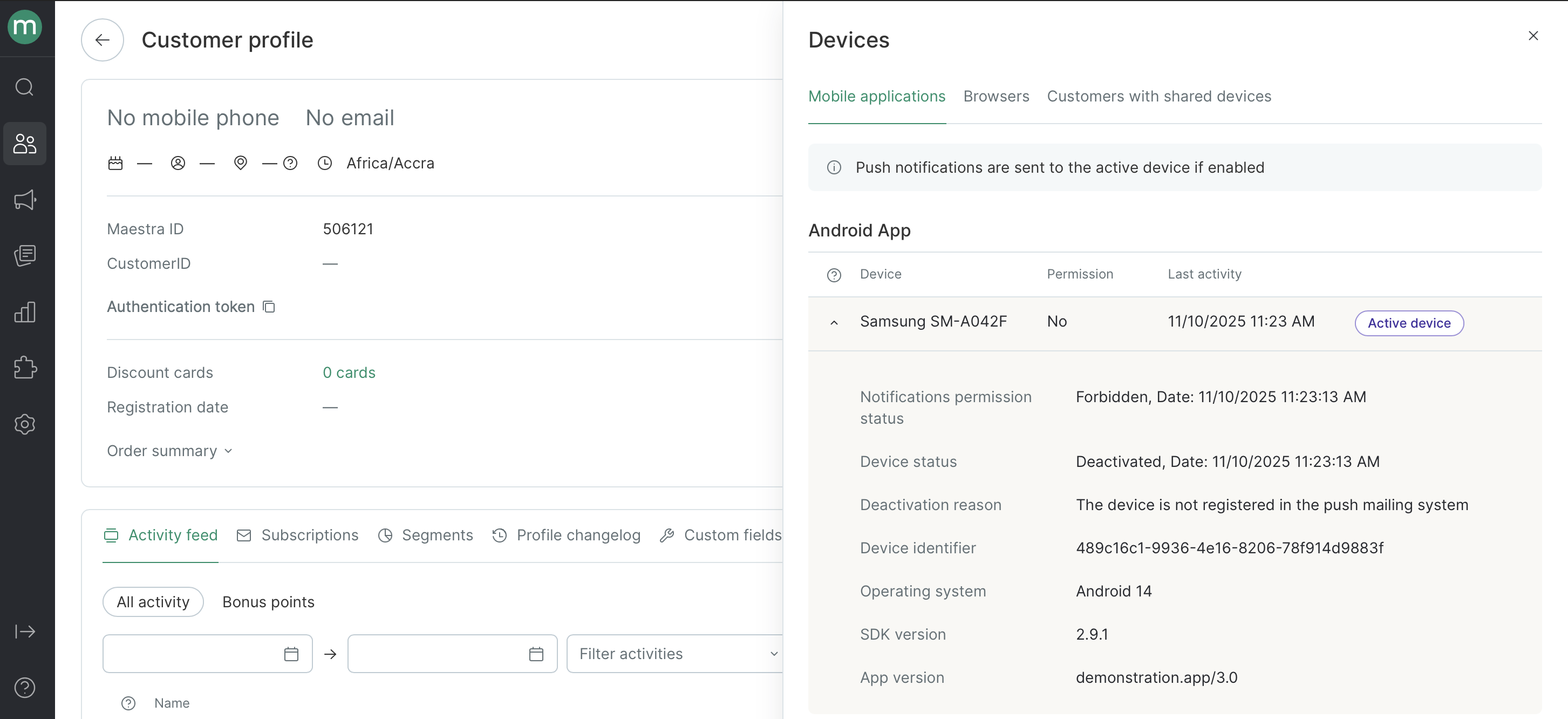
Notifications permission status:Forbidden
Device status: Deactivated
Deactivation reason: The device is not registered in the push mailing system
Updated 8 months ago