

Export customers from flow blocks
Requirements
An operation configured with the Export — customers from flow execution report step.
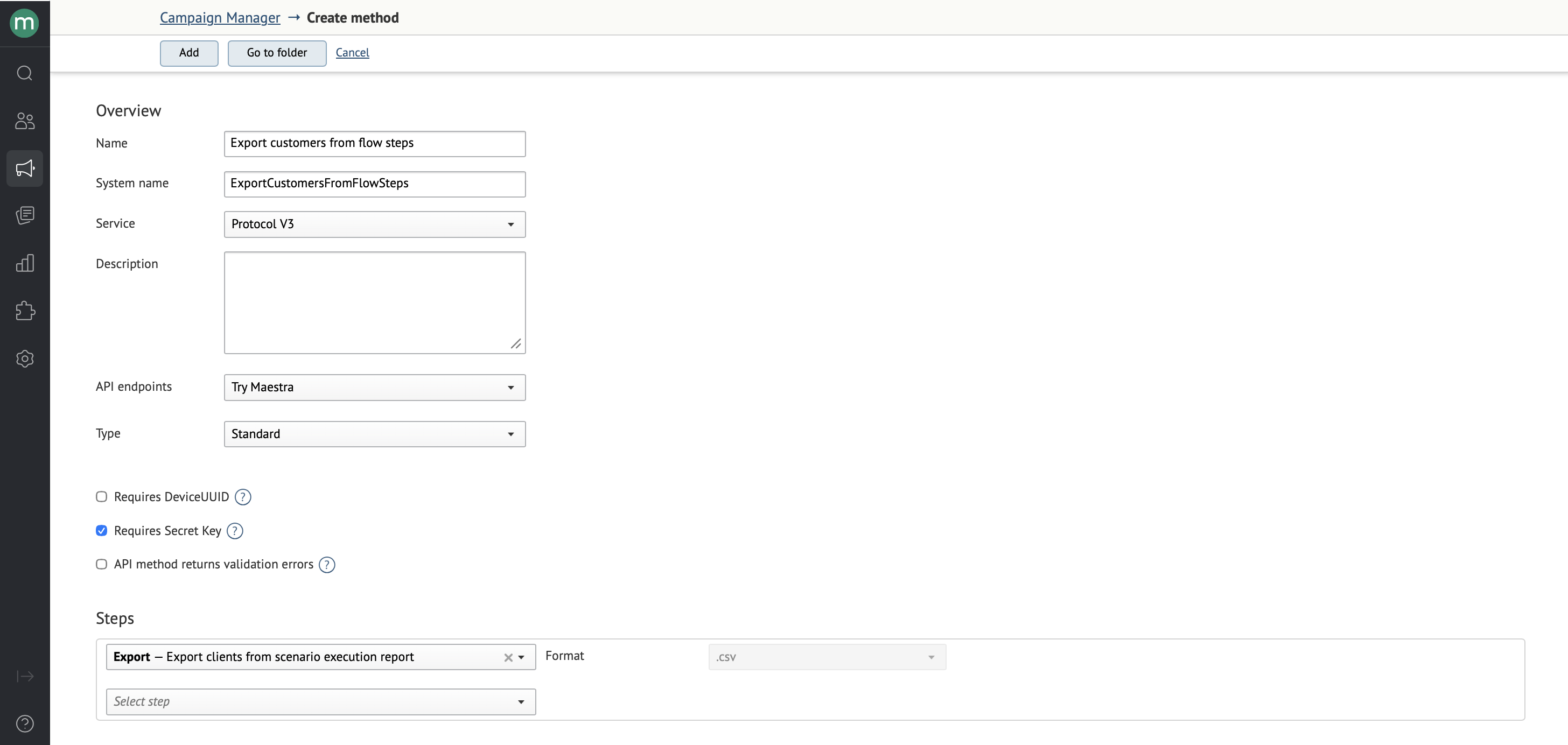
Submit and poll
For the general submit-and-poll flow, see Exports overview.
Request
https://api.maestra.io/v3/operations/sync?endpointId={endpointId}&operation={operation}

Content-Type: application/json; charset=utf-8
Accept: application/json
Authorization: SecretKey {Secret key}

{
  "sinceDate": "<Start of the period>",
  "tillDate": "<End of the period>",
  "scenarioId": "<Flow ID>",
  "scenarioVersion": "<Flow version number>",
  "blockId": "<Block ID>",
  "outputIndex": "<Block output number>",
  "onlyStartedInPeriod": "<Only customers who entered the flow during this period>"
}
You can pass:
sinceDate— only customers who passed through the block on or after this date are included.tillDate— only customers who passed through the block on or before this date are included.outputIndex— block output number.1corresponds to the Yes branch;2to the No branch.onlyStartedInPeriod— whentrue, only customers who entered the flow during the specified period are included. Values:true,false.
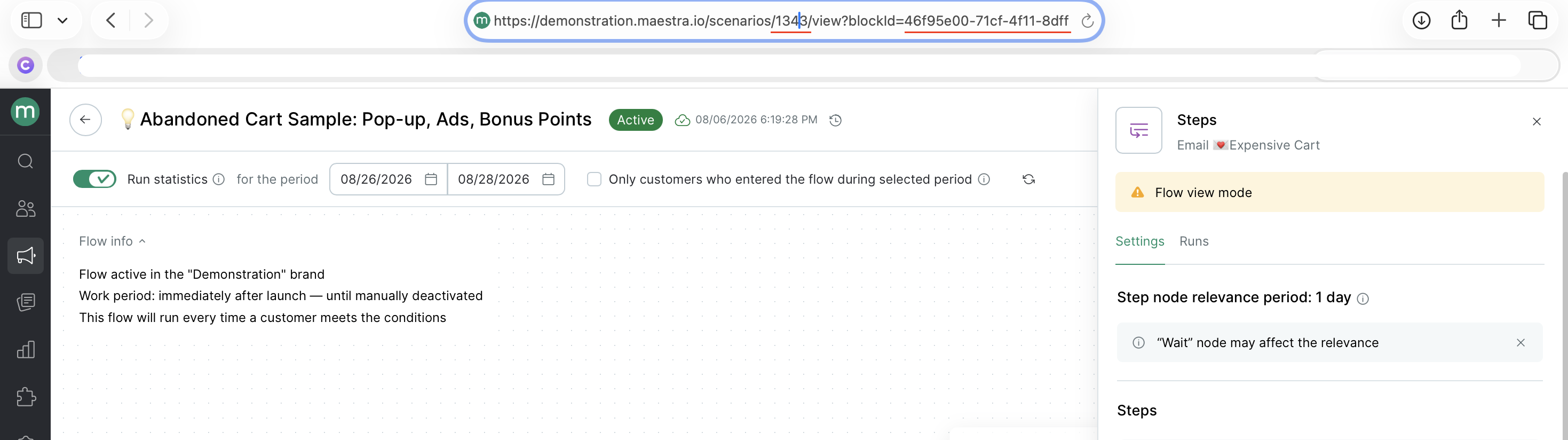
How do I find the flow ID and step ID?Option 1: run a flow export.
Option 2: check the flow URL. Open the flow and click the block you're interested in.
https://[project-name].maestra.io/scenarios/[flow-id]/view?blockId=[block-id]
Example response
{
  "status": "<Request result: Success on success, ValidationError on user error, ProtocolError on integration error, InternalServerError when the server is unavailable>",
  "exportId": "<Export ID — pass this to the next request>",
  "exportResult": {
    "processingStatus": "<File readiness status>",
    "cancellationReason": "<Cancellation reason>",
    "urls": [
      "<Result file URL>",
      "<Result file URL>"
    ]
  }
}
Once you have the exportId, you can download the file with the customer list from the Tasks section, or fetch it via API.
To fetch via API, call the operation again with the exportId you got from the first request in the body.
https://api.maestra.io/v3/operations/sync?endpointId={endpointId}&operation={operation}

Content-Type: application/json; charset=utf-8
Accept: application/json
Authorization: SecretKey {Secret key}

{
  "exportId": "<Export ID>"
}
File format
The file lists the Maestra IDs of customers who passed through the flow block.
Updated 24 days ago