

AB Testing Website through Maestra
Use in the front-end code of the site
Call a handle to get a list of AB tests from the site - window.PopMechanic.onAbTestsReady.
The onAbTestReady field is implemented via a getter - when a new value is assigned to it, if it is a function, it is immediately called with a list of ab tests (or is called as soon as the list of ab tests is ready).
Therefore, the code from the example can be added either before or after connecting the Maestra’s main initialization tracker script.
Usage
window.PopMechanic = window.PopMechanic || {};

window.PopMechanic.onAbTestsReady = function (abTests: AbTest[]) {
    // do something with ab tests, e.g.:
    const pricingTest = abTests.find(
        (test) => test.id === '0a1b2c3d...'
    );

    if (pricingTest) {
        updatePricesForVariant(
            pricingTest.currentVariant.internal_id
        );
    }
};
Available information about ab-tests
abTest.id: string— internal_id of the ab testabTest.currentVariant: Variant— an object with data about the winning variantabTest.currentVariant.internal_id: string— ID of the winning variantabTest.currentVariant.is_control_group: boolean | null— if true, then the control group wonabTest.variants: Variant[]— list of all variants
Where to view the AB tests available on the website
- Go to website and open the developer console
- Go to the network tab and find the init response from Maestra
- All active tests, including their branches/variants, for the current site will be listed in global_ab_tests, the same object will be accessible via a function call
onAbTestsReady
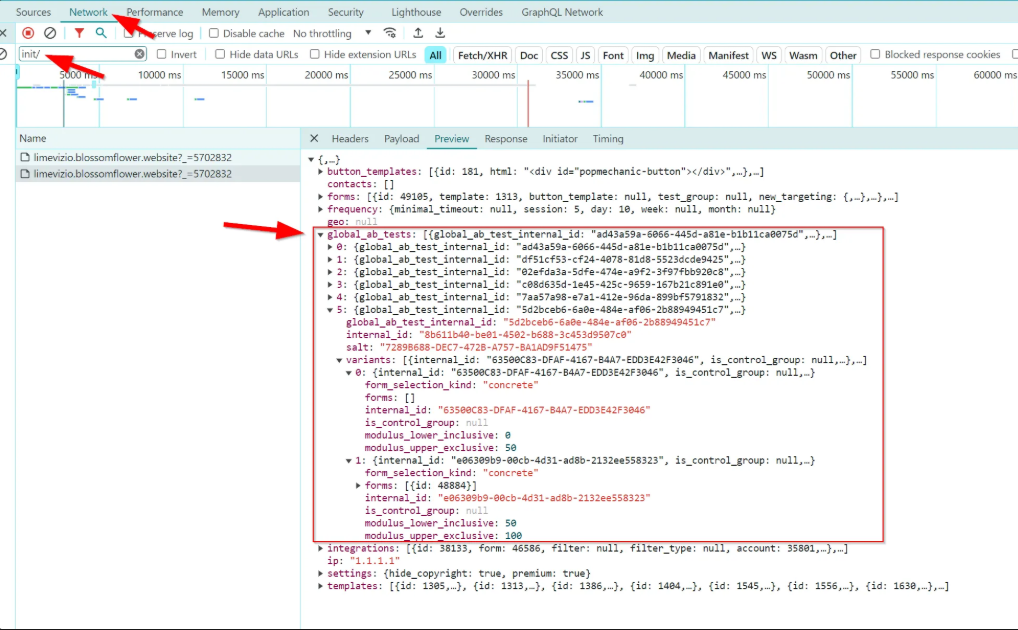
How to find the ID of the required AB test
-
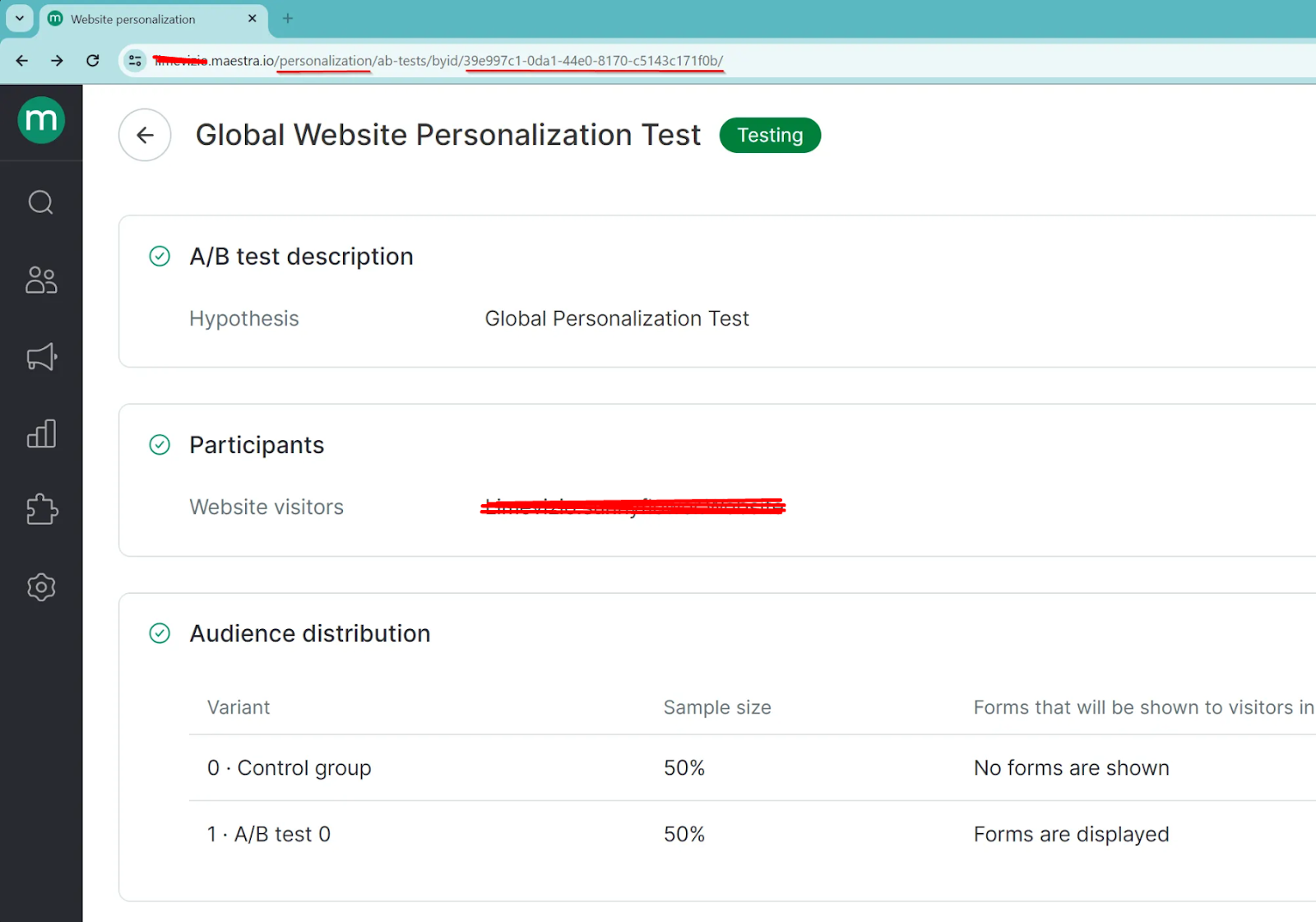
Log in to the admin panel AB-tests page, select the desired test
-
The required ID will be specified in the URL. IMPORTANT: id with report pages will be different, you don't need to use it
-
Use the obtained ID in the code to search for the required ab-test:
window.PopMechanic.onAbTestsReady = function(abTests: AbTest[]) {
    const test = abTests.find((test) => test.id === '39e997c1-0da1-44e0-8170-c5143c171f0b';
    // do something with this ab-test
}
IMPORTANT: the ab-test must be active, otherwise it cannot be found in the front-end code
-
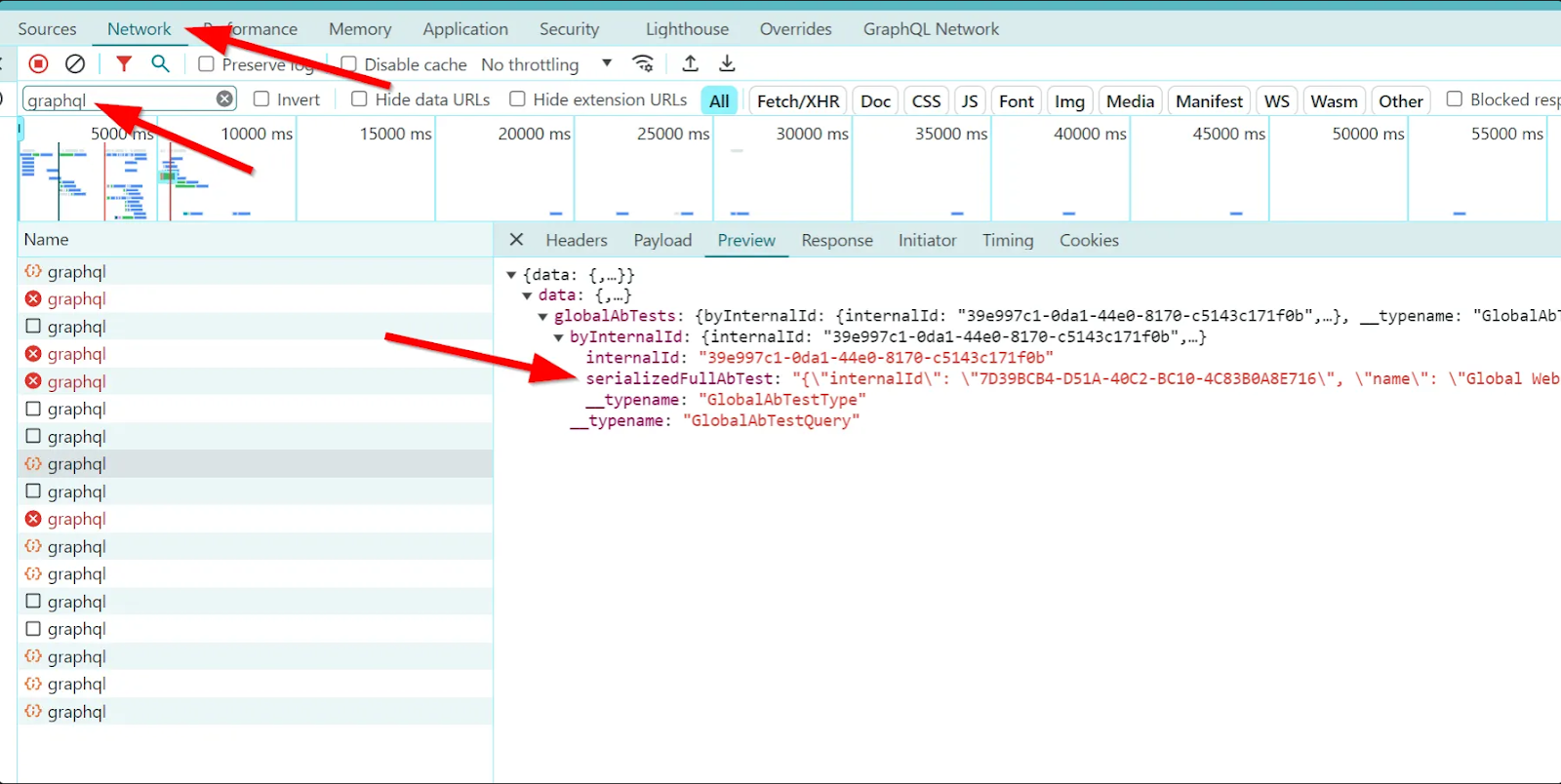
The ab-test variant/branch ID can be found through the developer console by opening it on the ab-test page or the ab-test report
Updated 10 months ago