

Adding the SDK to Your App [Android]
By the end of this guide, you should see the following result:The
Gradle: cloud.mindbox.mobile-sdk:{version}@arrstring will be added to External Libraries in the project navigator.
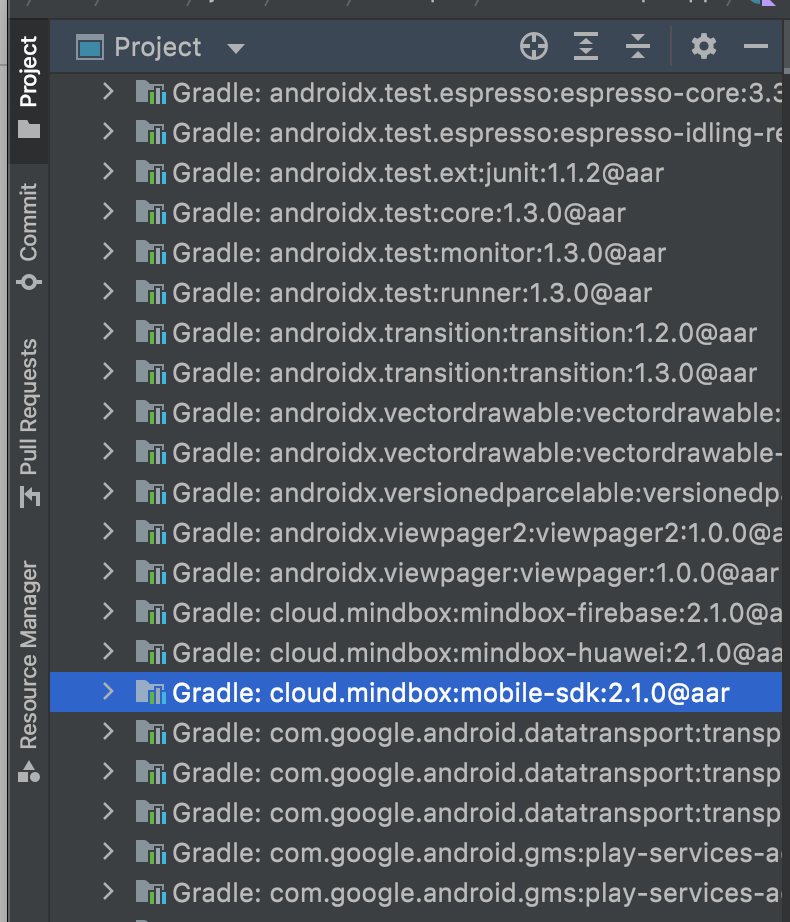
In order for Mindbox SDK to work correctly, add a dependency to the app/build.gradle file in the dependencies block (Module: app).
It’s best to use a fixed version to control the updates. For the latest release, refer to the Maven Central Repository.
dependencies {
    ...
    implementation 'cloud.mindbox:mobile-sdk:{version}'
    //If you plan to integrate Firebase mobile push notifications,
	  //you can add the dependency below right away
    implementation 'cloud.mindbox:mindbox-firebase'  # since 2.10.0
   ...
}
After you update the file, click Sync Now.
Implementation @aarDo not use
'cloud.mindbox:mobile-sdk:{version}@aar'implementation. It will result inNoClassDefFoundErrorat Runtime.
Updated 8 months ago