

IOS | Push Notification Sending
Make sure these steps are completed successfully:
Expected result of the “IOS | Push Notification Sending” step:A mobile push notification is sent from Maestra and is displayed on the device.
You can use this guide to verify that push notifications are being sent.
Enable push notifications in the app settings
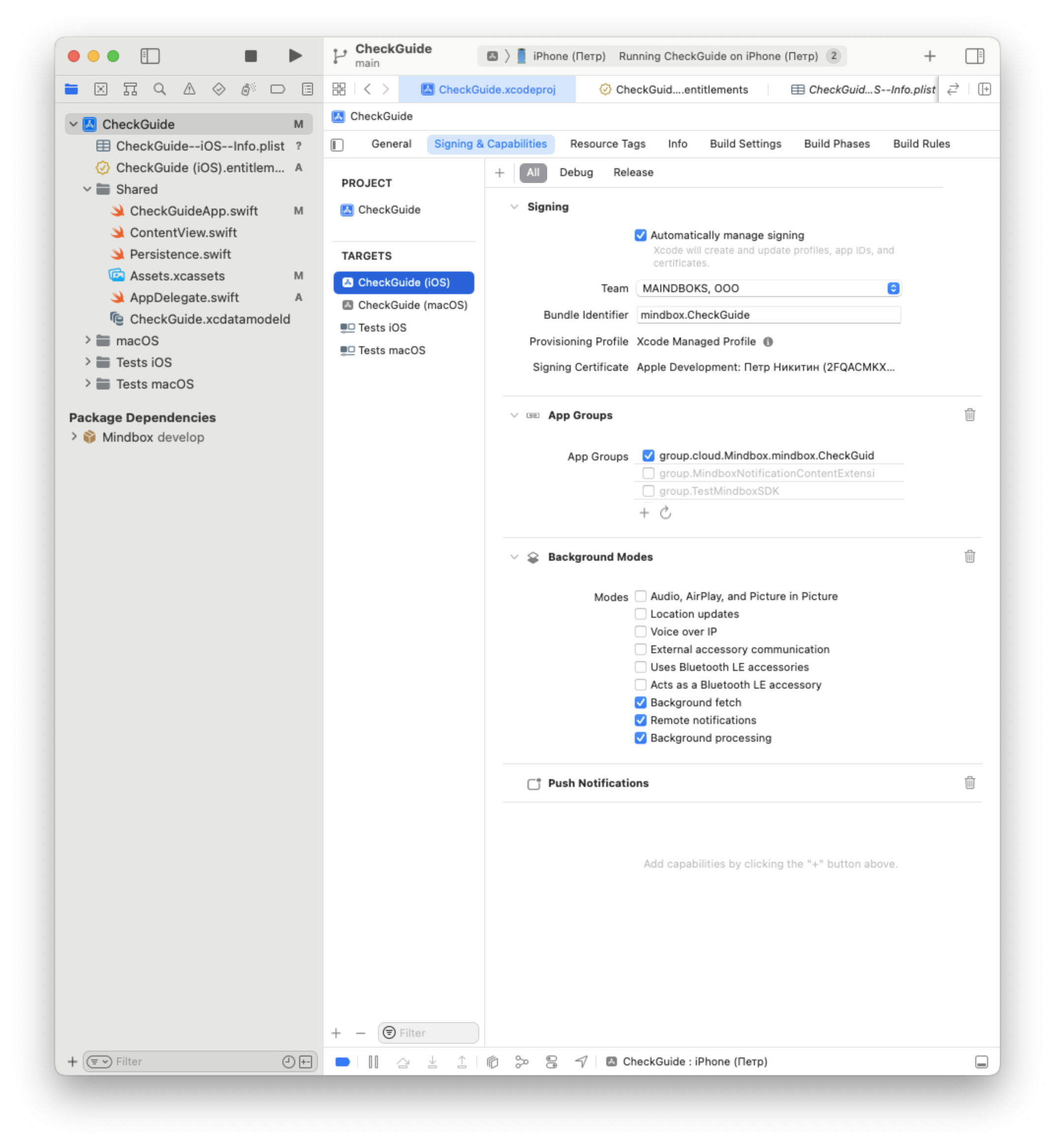
- Open the project settings.
- Select the main target.
- Go to the
Signing & Capabilitiestab. - Click
+ Capabilityand choosePush NotificationsandBackground modes; - In the Background Modes section, enable the following options:
- Background fetch
- Remote notifications
- Background processing
Provide your Maestra Forward Deployed Marketer with the keys required to connect to Apple Push Notification service, or add the keys yourself.
AppDelegate setup
Choose one of the options below and follow the instructions.
Basic push notification setup.
Suitable if no custom logic is required.
Custom push notification setup.
Suitable if custom logic is required.
In the Podfile, add the Mindbox iOS SDK.
target 'Runner' do
  use_frameworks!
  use_modular_headers!

  pod 'Mindbox'
  flutter_install_all_ios_pods File.dirname(File.realpath(__FILE__))
end
Then follow the instructions with the code examples below.
Verify the result of the “Push Notification Sending” step:A mobile push notification is sent from Maestra and is displayed on the device.
You can use this guide to verify that push notifications are being sent.
If you are testing push notifications in the Sandbox environment, make sure to enable the “Sandbox message” option in the “Default” campaign profile.
Learn more about the Sandbox environment.
UISceneDelegate support (Flutter 3.41+)
Starting with Flutter 3.41, iOS apps default to UISceneDelegate. This means app launch events and universal links no longer route through AppDelegate.
To keep the Mindbox SDK working correctly, you need to forward .launchScene and .universalLink events to the SDK from your SceneDelegate.
Next steps:
- Step-by-step migration guide in the Mindbox repo
- General
UISceneDelegatemigration steps in the Flutter docs
Updated 2 months ago